Register Perdana4D
Step 1
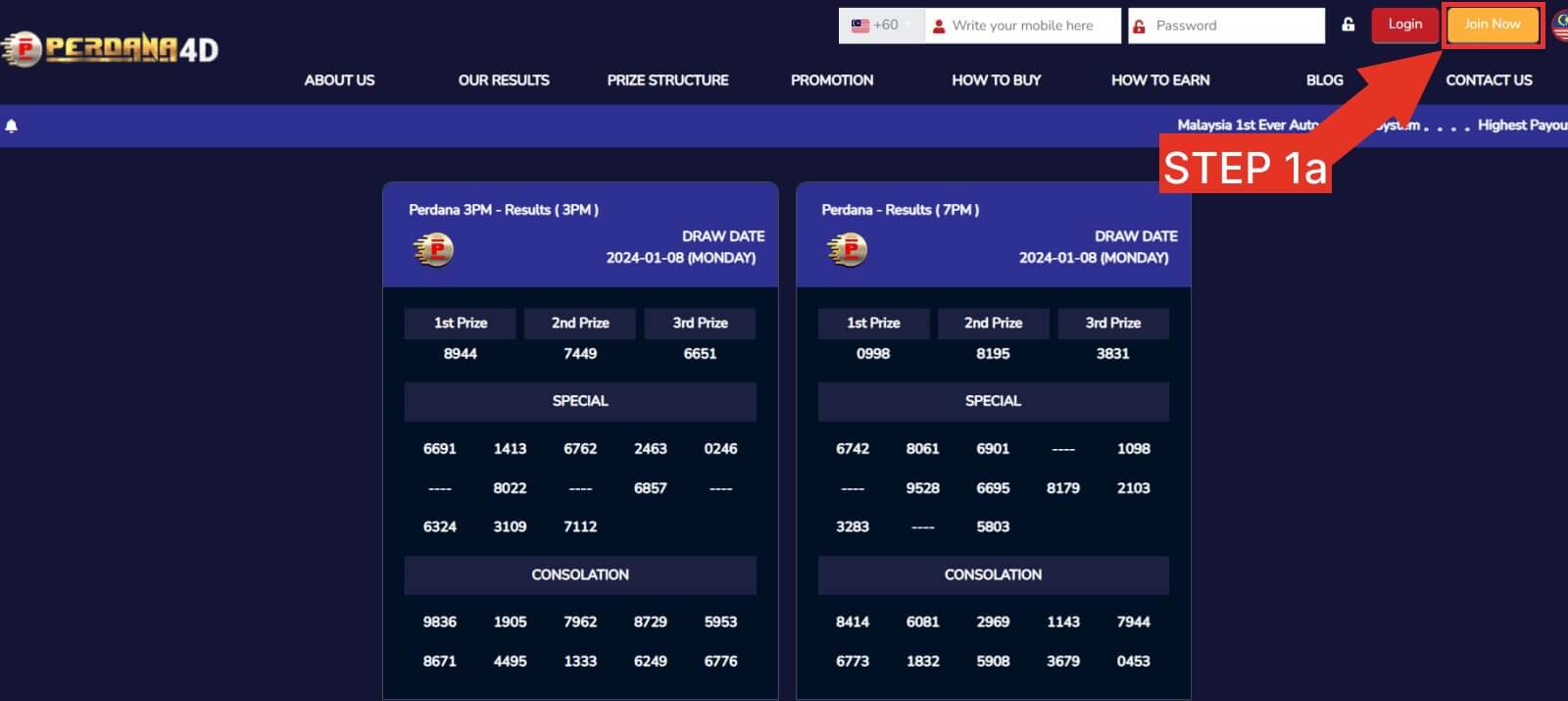
- Press LOGIN.
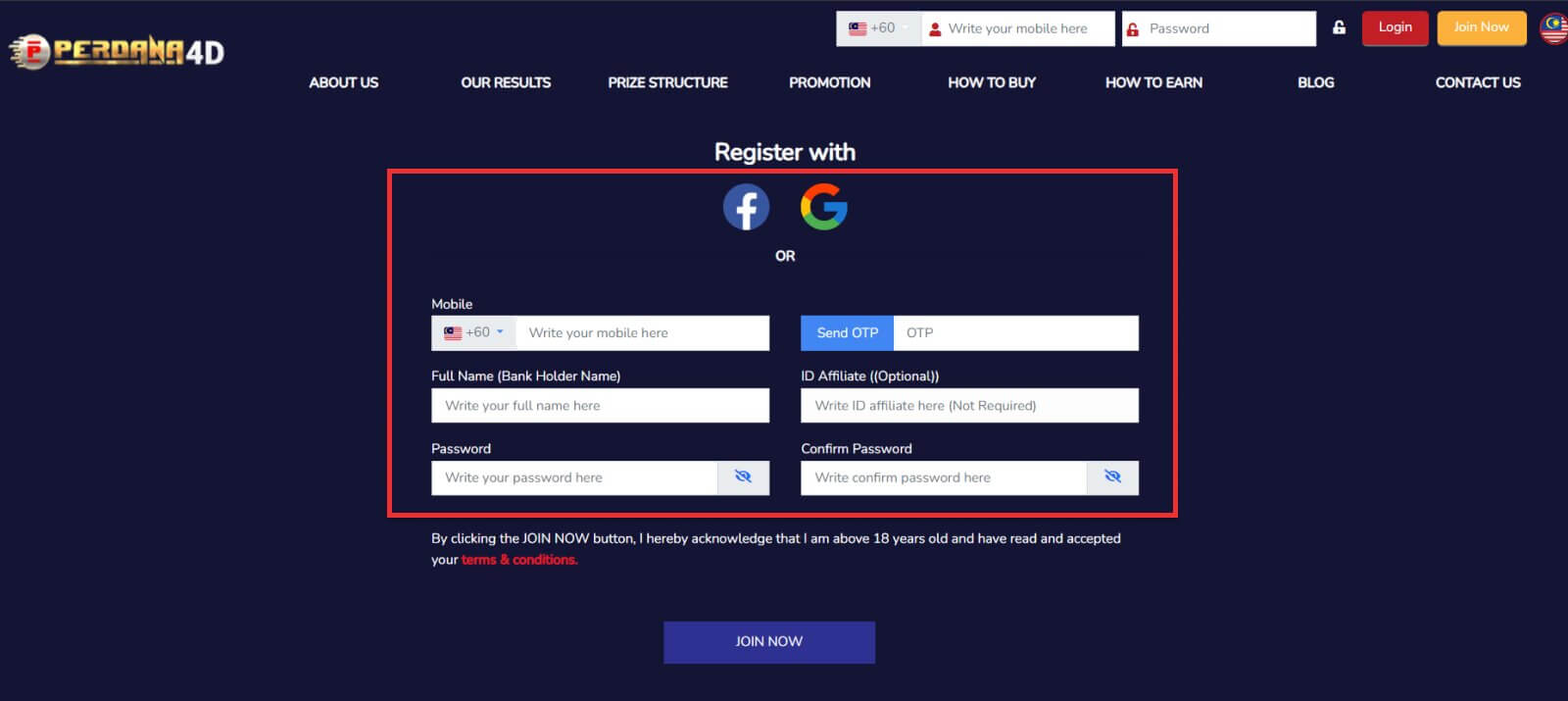
- Press JOIN NOW to enter the ID registration page.
- Fill in your information completely.
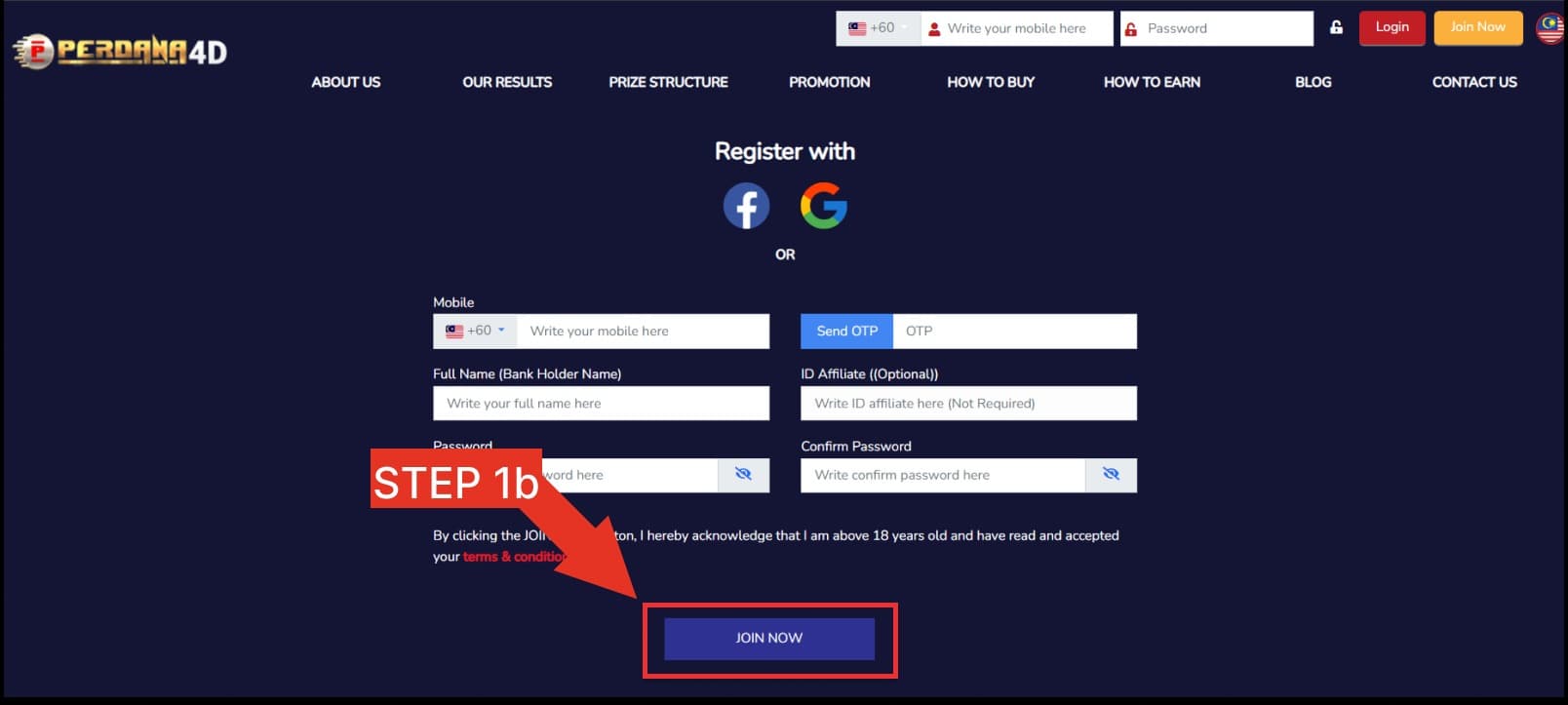
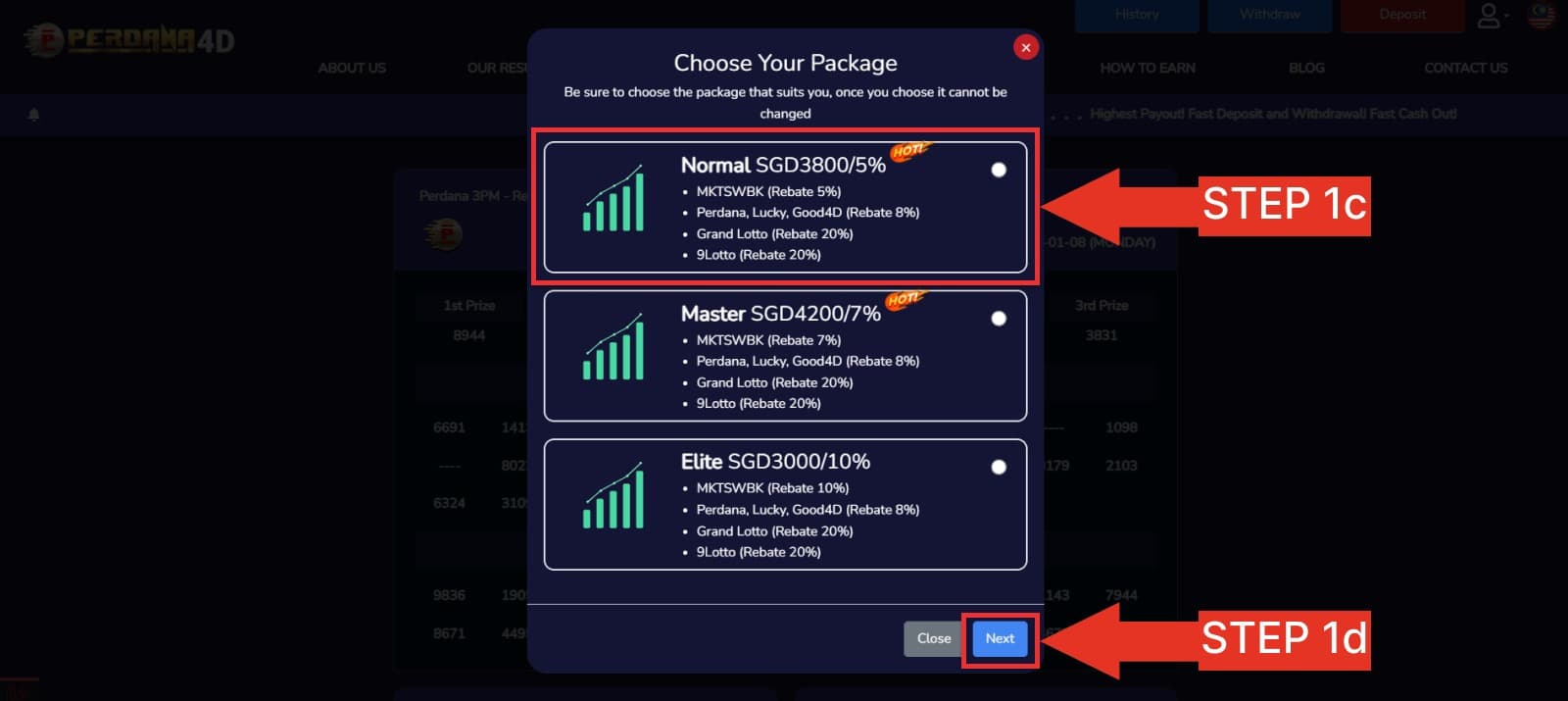
- Press JOIN NOW to register your ID.
How to bet your 4D numbers.
Step 1
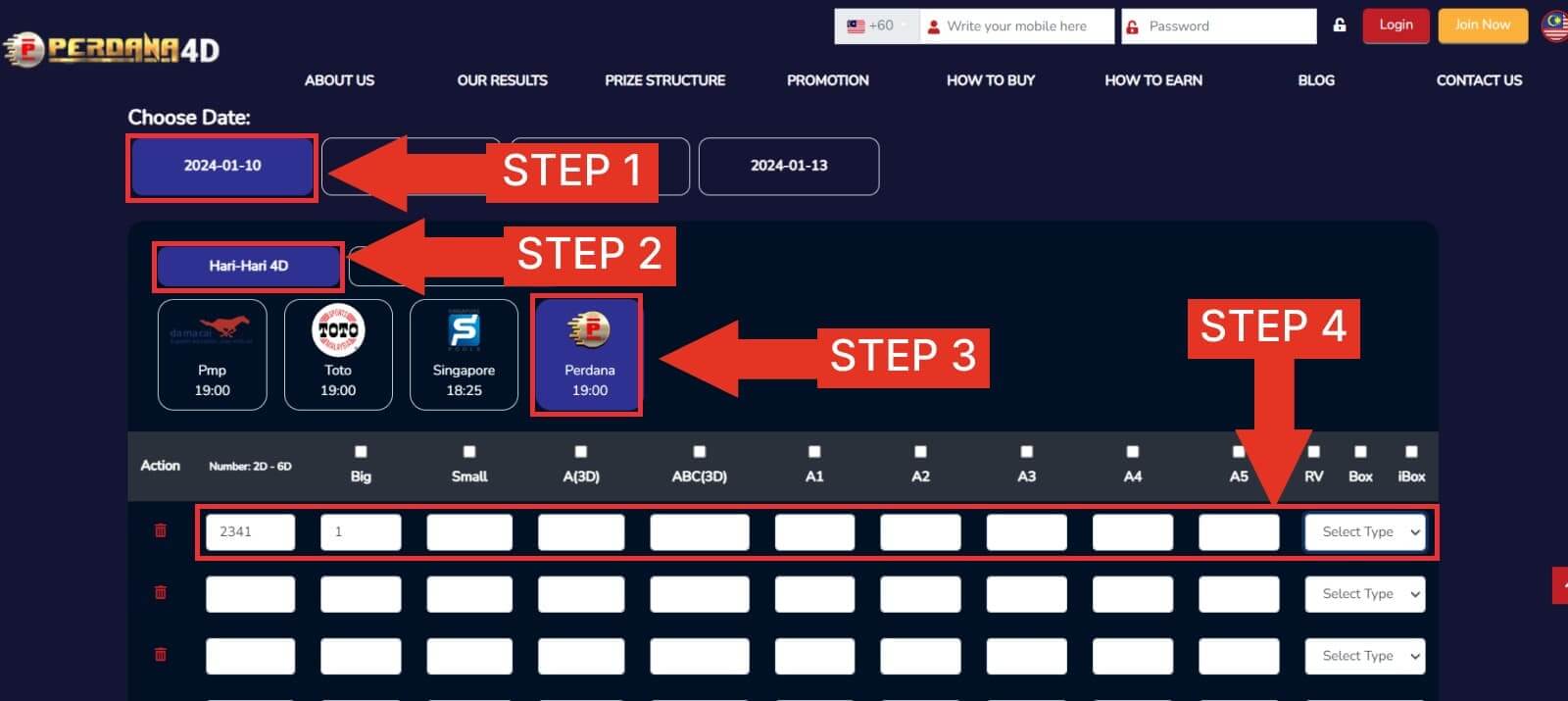
- Select the date of the 4D results you want to buy.
- Next select the 4D brand you are interested in.
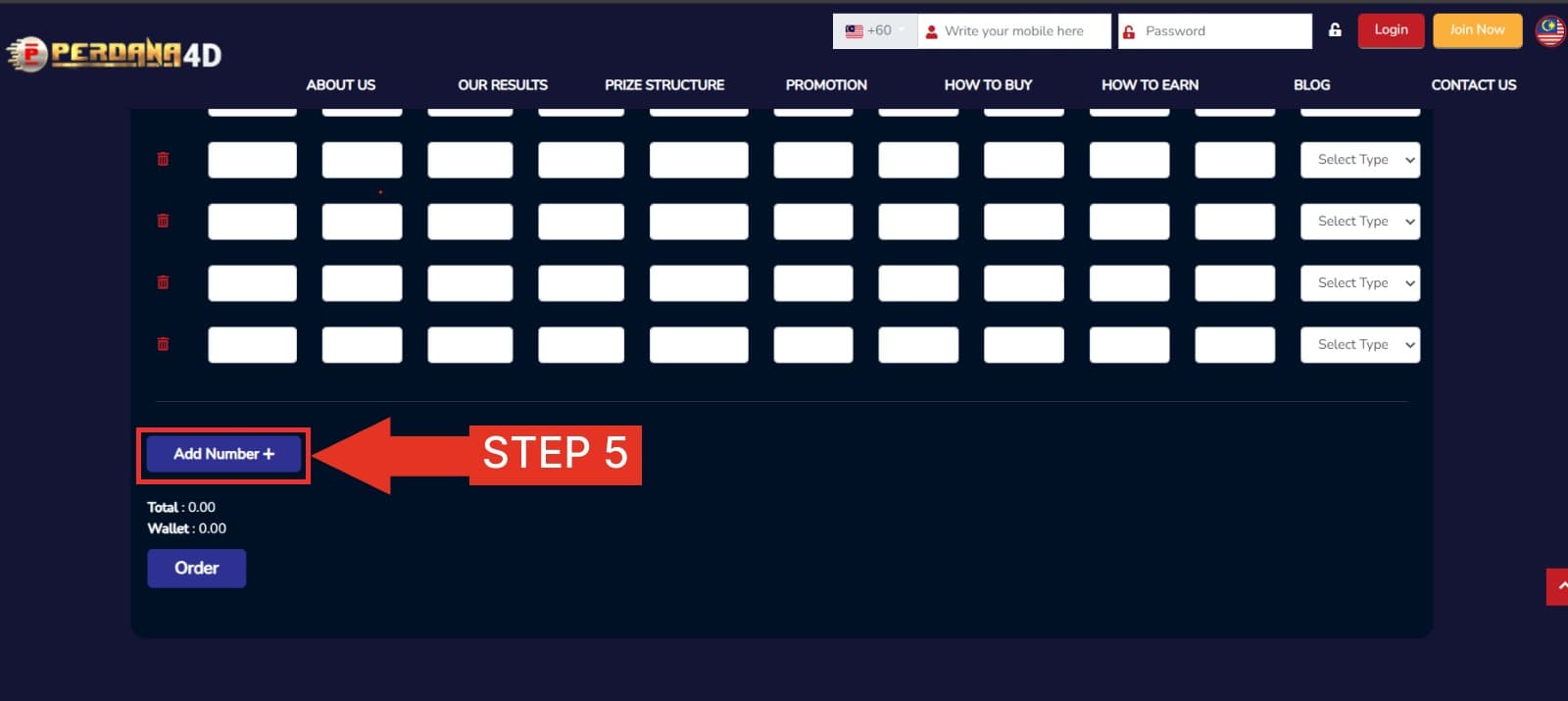
- Fill in the 4D number, bet amount, and permutation (Leave the Box / IBOX box if you don't need it).
- Next press ORDER to continue your bet.
step 2
- Recheck your date, 4D brand, 4D number and press CONTINUE.
- The system will issue a 4D report of accepted bets. Choose your favorite bank. Press PAY NOW for payment.
- Wait for the system to connect to online banking.
step 3
- Recheck your date, 4D brand, 4D number and press CONTINUE.
- The system will issue a 4D report of accepted bets. Choose your favorite bank. Press PAY NOW for payment.
- Wait for the system to connect to online banking.
step 4
- Congratulations! You've made it to your 4D bet!
How to Buy 4D Online in Malaysia with Perdana4D
This guide explains the complete journey from account registration to checking an accepted 4D entry. The screenshots above show the platform controls; the checklist below helps you avoid common number, draw and payment mistakes.
Before you register
- Use your own current contact and payment details.
- Create a unique password and never share a one-time code.
- Confirm that you meet the age and location requirements that apply to you.
- Set a spending limit before adding funds.
Step 1: Create and secure the account
Select Join Now, complete the required registration details and check every field before submitting. When the account is available, review the profile and recovery information. Do not register through an unsolicited link or allow another person to control the account.
Step 2: Select the draw and 4D operator
Choose the intended draw date first, followed by the relevant 4D operator. Closing times and available draws can change, so rely on the options displayed in the platform. If a draw is no longer selectable, do not assume that an entry will be carried into another session.
Step 3: Enter the number and bet type
Enter the four-digit number exactly as intended. Then choose the stake and the applicable bet type, such as Big, Small, Box or iBox where available. These choices can affect eligible prize categories and settlement. Read the Perdana 4D prize structure guide before comparing package amounts.
Step 4: Review before payment
Before selecting Continue or Pay Now, verify the operator, draw date, number, bet type, package, stake and total. The confirmation screen is the most important checkpoint. A typo or wrong draw selection may not be reversible after acceptance.
Step 5: Keep the accepted-entry record
Wait until the platform shows that the entry has been accepted. Save the transaction reference or record shown in the account rather than relying only on a bank notification. If payment was deducted but no accepted entry appears, contact the support channel shown on the website and provide the reference without sharing a password or one-time code.
How to check the result
Use the Perdana 4D live result page for the latest draw information and compare the complete number and prize category with the accepted entry. Keep the record until settlement is complete. For information on how public pages are maintained, see About Perdana4D.
Important participation reminder
4D outcomes are determined by chance. Instructions explain how to use the platform; they do not improve the mathematical odds or guarantee a return. Use only money set aside for entertainment, never borrow to participate and stop when the planned limit is reached.
Last editorial review: 5 November 2026.

We aim to provide a best-in-class lottery gaming company in ASIA which is trusted by customers, bringing and adding more value to the community.
Certification





Gaming License


Responsible Gaming